




Description
PDF work for busy UK teams
You may need to update a supplier quotation, combine scanned forms, prepare records for HMRC or send an agreement for signature. Adobe Acrobat Pro gives you a practical workspace for those jobs, with tools to edit, convert, protect and check PDF documents. From accountancy practices to council departments, organisations across Britain regularly handle paperwork in different formats.
It is also useful when an organisation receives paper records that have been scanned rather than created digitally. Instead of treating every scan as an image, Pro can recognise its text and make the resulting PDF searchable and editable. That can help when reviewing archived files or finding details in a large document pack.
Tools for the documents you handle
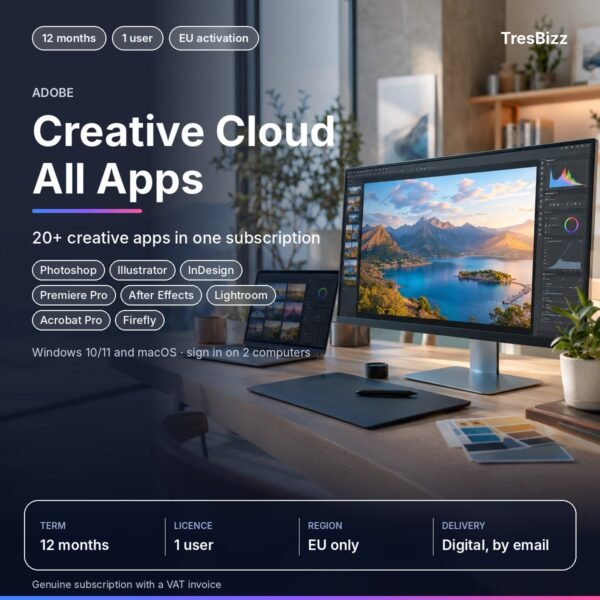
The subscription includes the Acrobat desktop application, Acrobat tools in a web browser and the Acrobat Reader mobile app.
- Change wording and images within a PDF. Reorder a pack by merging files, extracting pages, inserting new ones, rotating them or deleting pages that are no longer needed.
- Create PDFs from other documents and export PDF content to Word, Excel or PowerPoint when further editing is required.
- Complete forms, sign documents, ask others for electronic signatures and follow each request's status.
- Set a password on a PDF before sending it to a colleague, customer or public body.
- Use Pro-only OCR for scanned paperwork, compare two PDF versions, redact confidential details, and convert or validate files for ISO formats such as PDF/A.
One user for twelve months
The offer covers a single account for twelve months. It is not a perpetual licence. Acrobat Pro includes advanced tools that are not in Acrobat Standard: OCR for searchable and editable scans, comparison of two document versions, and redaction of sensitive information. These functions can be useful when checking revised procurement paperwork, reviewing a policy document or preparing records for retention.
Adobe supplies feature updates and security updates during the subscription. The package covers the desktop app, browser-based Acrobat tools and the Acrobat Reader mobile app. The licence is intended for activation in the European Union. The UK is outside the EU, so check this regional activation condition carefully before ordering.
Ordering from TresBizz
Brussels-based TresBizz displays the product amount in GBP for UK shoppers. Payment can be made by card, Apple Pay, Google Pay or PayPal. An official invoice accompanies each order, and no VAT is charged on the transaction. No VAT is charged at checkout, so no VAT number is needed.
Lower per-licence pricing is available for quantities of 3, 5 and 10. For assistance with ordering or setup, contact support by email. If the supplied key fails to work, TresBizz will arrange a replacement or issue a refund.
Check your computer first
For Windows, use Windows 11 64-bit or Windows 10 64-bit version 1809 or later. Windows Server 2016, 2019 and 2022 are also listed as supported. The computer needs an Intel or AMD processor running at 1.5 GHz or faster, 2 GB RAM, 4.5 GB available disk space and a 1024 x 768 display.
For Mac, supported systems are macOS 12, 13, 14 Sonoma, 15 Sequoia and 26 Tahoe. Intel processors and Apple silicon M1 through M4 are supported. Allow 2 GB RAM and 2.75 GB of available storage. Activation and sign-in require connectivity plus an Adobe account.
Email delivery and setup
No box or courier is involved. Within 24 hours of your order, TresBizz emails the licence key, download link and activation steps. Follow the instructions to download Acrobat Pro and activate it with your Adobe account.
Adobe Acrobat Pro questions answered
Can Adobe Acrobat Pro handle HMRC paperwork and business records?
Yes. You can edit PDF documents, complete forms, sign files, combine pages and export content to Word or Excel. OCR also helps make scanned records searchable and editable. These tools can support everyday administration and preparation of business paperwork.
Can I use Acrobat Pro for NHS and local council documents?
The software provides tools for editing PDFs, completing forms, signing documents, protecting files with passwords and removing sensitive information. These functions can assist with document workflows involving healthcare administration and council paperwork. Specific organisational requirements should be checked separately.
Does the UK licence work outside the European Union?
This particular licence is intended for activation within the EU. As the United Kingdom is outside the European Union, UK buyers should carefully consider the regional activation restriction before placing an order.
Can Acrobat Pro turn scanned paperwork into editable text?
Yes. Its OCR functionality recognises text in scanned documents and converts them into searchable and editable PDFs. OCR is an advanced Pro feature that is not included in Acrobat Standard.
How do I receive my Adobe Acrobat Pro subscription?
TresBizz sends the licence key, download link and activation instructions to your email address within 24 hours. There is no physical shipment. The subscription covers one user for 12 months.










Reviews
There are no reviews yet.