



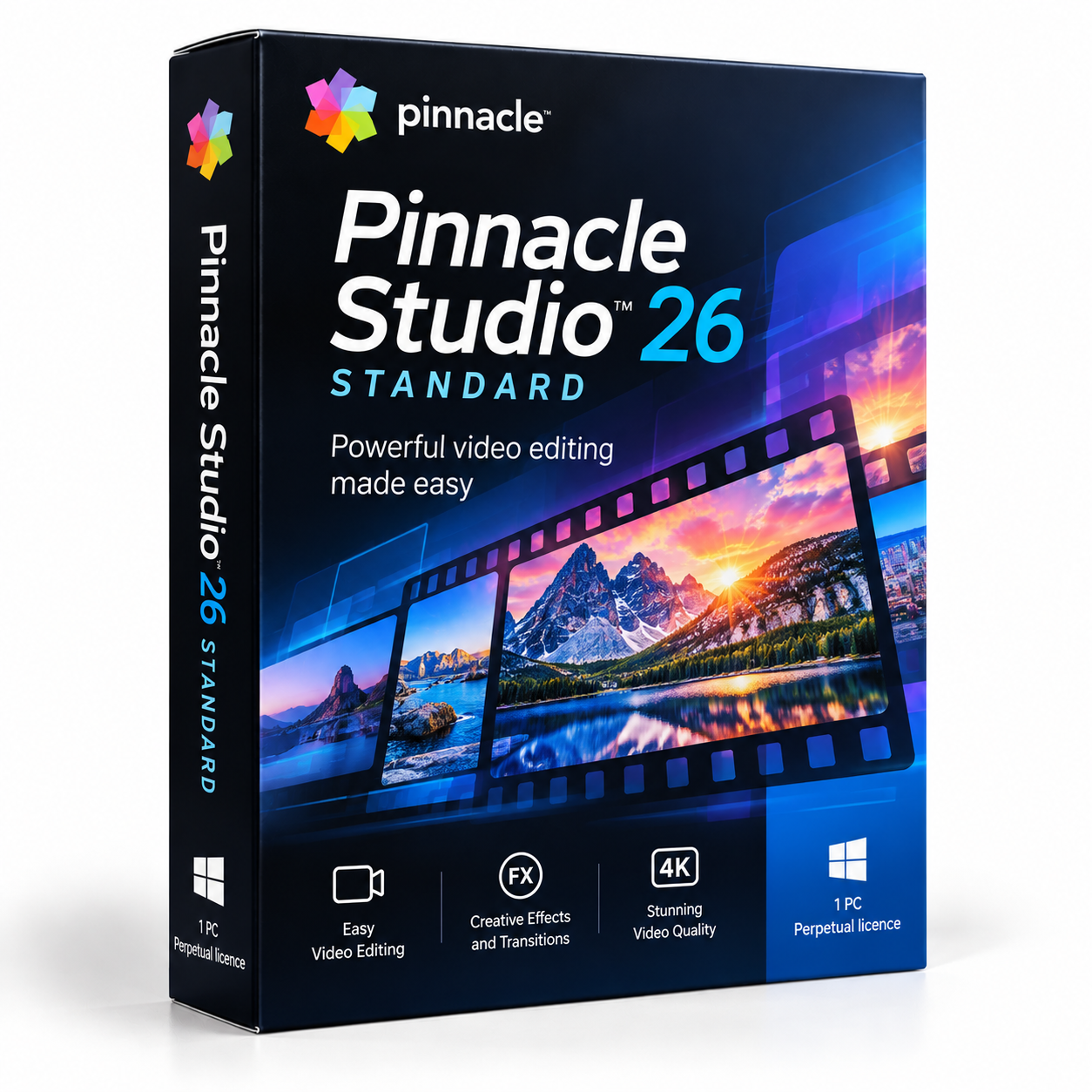
Pinnacle Studio 26 Standard
€39.12 excl. VAT
- HD video editing for Windows
- Six video and audio tracks
- Multi-camera editing with up to two cameras
- Effects transitions and titles
- Lifetime licence for one PC with no subscription
For activation in the European Union only. Orders with a billing address outside the EU are not accepted.
Description
Pinnacle Studio 26 Standard
Turn holiday recordings, family occasions and everyday hobby footage into edited videos with Pinnacle Studio 26 Standard. This Windows video editing software from Pinnacle, a Corel brand, gives beginners and home users a selection of practical editing features for creating and preparing their own videos. Work with HD video, arrange footage across video and audio tracks, and add effects, transitions and titles to shape the result. Whether you are putting together memories from a trip or preparing a video to share online, this edition provides a straightforward set of tools for personal projects.
Key features
- HD video editing: Edit video projects in HD resolution.
- Six tracks: Arrange video and audio using six video and audio tracks.
- Multi-camera editing: Work with footage from up to two cameras.
- Colour grading: Use simplified colour grading to adjust the appearance of your video.
- Audio editing: Make use of simplified audio editing for your project sound.
- Creative elements: Add effects, transitions and titles to your videos.
- DVD menus: Choose from 20 DVD menu templates when preparing DVD projects.
- Export: Prepare finished videos for the web and for devices.
Benefits
- Bring personal recordings together. Arrange clips from holidays, family events and hobbies into a video project.
- Work with separate tracks. Use the available video and audio tracks to organise the material in your edit.
- Combine camera footage. Multi-camera editing supports projects recorded with up to two cameras.
- Give videos a finished appearance. Add titles, transitions and effects, then use the available colour and audio editing features.
- Prepare different outputs. Export your completed video for the web or for compatible devices.
Who it is for
Pinnacle Studio 26 Standard is intended for beginners and home users who want to edit their own recordings on a Windows computer. It can be used for personal video projects such as holiday highlights, family celebrations and hobby clips. Its set of editing features provides a starting point for arranging footage, adding visual elements and preparing a finished video without requiring professional video production experience.
Licence options
This product includes a perpetual licence with a Lifetime term for one PC. It is a one-time purchase and does not require a subscription. The licence is intended for activation within the European Union. Select this option if you want to use Pinnacle Studio 26 Standard on one Windows computer under the stated licence terms.
System requirements
- Operating system: Windows 11 or Windows 10, 64-bit.
- Processor: Intel Core i3 or AMD A4 at 3.0 GHz or higher.
- Memory: 4 GB RAM.
- Graphics: Graphics hardware with 256 MB VRAM.
- Display: 1024 x 768 resolution.
- Sound: Windows-compatible sound card.
- Storage: 10 GB disk space for a full installation.
- Internet: Required for installation, registration and updates. Registration is required.
- DVD burning: A DVD burner is required to burn DVD discs.
Delivery and activation
TresBizz supplies a genuine Corel licence key and the download link by email within 24 hours after payment. No physical shipment is involved. After receiving the email, download and install the software, enter the licence key and complete activation. Every order includes an official VAT invoice. EU business buyers can enter a VAT number, with reverse charge applied where applicable. Support is available by email. If activation does not work, contact support for a replacement or refund.
Conclusion
Buy Pinnacle Studio 26 Standard for a Lifetime video editing licence on one Windows PC. Its HD editing features, tracks, titles and export options support a range of personal video projects.
Frequently asked questions
What is Pinnacle Studio 26 Standard?
Pinnacle Studio 26 Standard is Windows video editing software from Pinnacle, a Corel brand. It includes HD editing, six video and audio tracks, effects, transitions, titles and export for the web and devices.
Is Pinnacle Studio 26 Standard a one-time purchase?
Yes. The product comes with a perpetual Lifetime licence for one PC. It is a one-time purchase and does not require a subscription.
Can I edit videos from more than one camera?
Yes. The Standard edition supports multi-camera editing with footage from up to two cameras.
What computer do I need for Pinnacle Studio 26 Standard?
You need a 64-bit Windows 11 or Windows 10 computer, an Intel Core i3 or AMD A4 processor at 3.0 GHz or higher, 4 GB RAM, graphics with 256 MB VRAM and 10 GB of disk space for a full installation. A compatible sound card and 1024 x 768 display are also required.
How do I receive and activate my Pinnacle Studio 26 Standard licence?
TresBizz sends the genuine Corel licence key and download link by email within 24 hours after payment. Install the software, enter the key and complete activation. If activation does not work, email support to request a replacement or refund.
Additional information
| Devices | 1 PC |
|---|---|
| Term | Lifetime |









Reviews
There are no reviews yet.