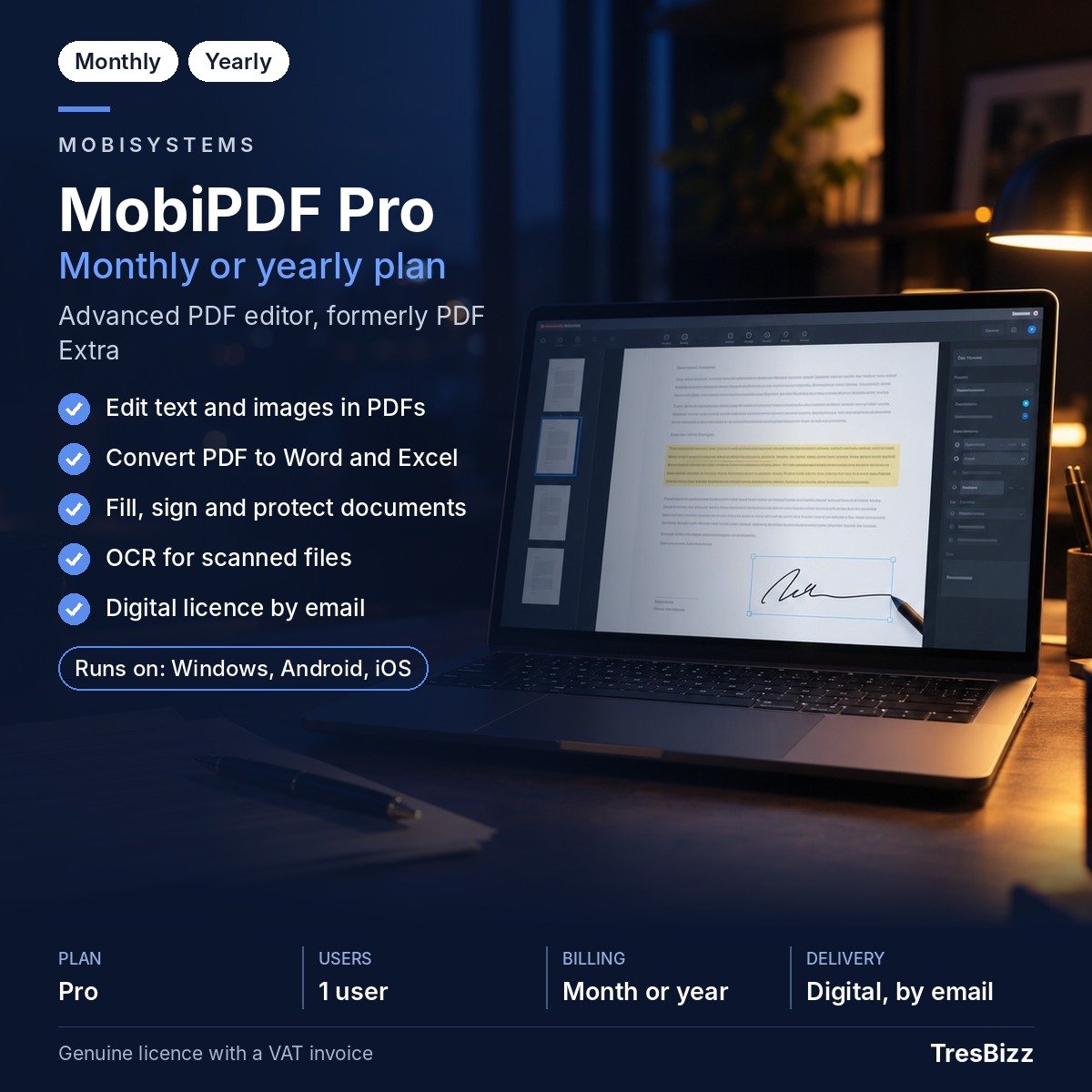
Whether you manage business paperwork in Valletta, prepare documents for clients in Sliema or organise personal files at home, PDF documents are part of everyday digital work in Malta. Contracts, application forms, reports and invoices often arrive in a format that is easy to view but not always convenient to change. MobiPDF Pro by MobiSystems gives you tools to work directly with these documents instead of rebuilding them from scratch. You can update text, adjust images, rearrange pages and prepare files for sharing. It is designed for people who need more control over their PDFs, whether they work independently, run a small business or handle regular office administration.
One application for your PDF tasks
A MobiPDF Pro subscription provides access to all included Pro features on one Windows desktop computer and up to two mobile devices. Your supported mobile devices can be an iPhone, iPad or Android device. Ongoing product updates are included.
Create PDF documents and combine several files into one organised document.
Rotate, reorder and delete individual pages or split larger documents into smaller files.
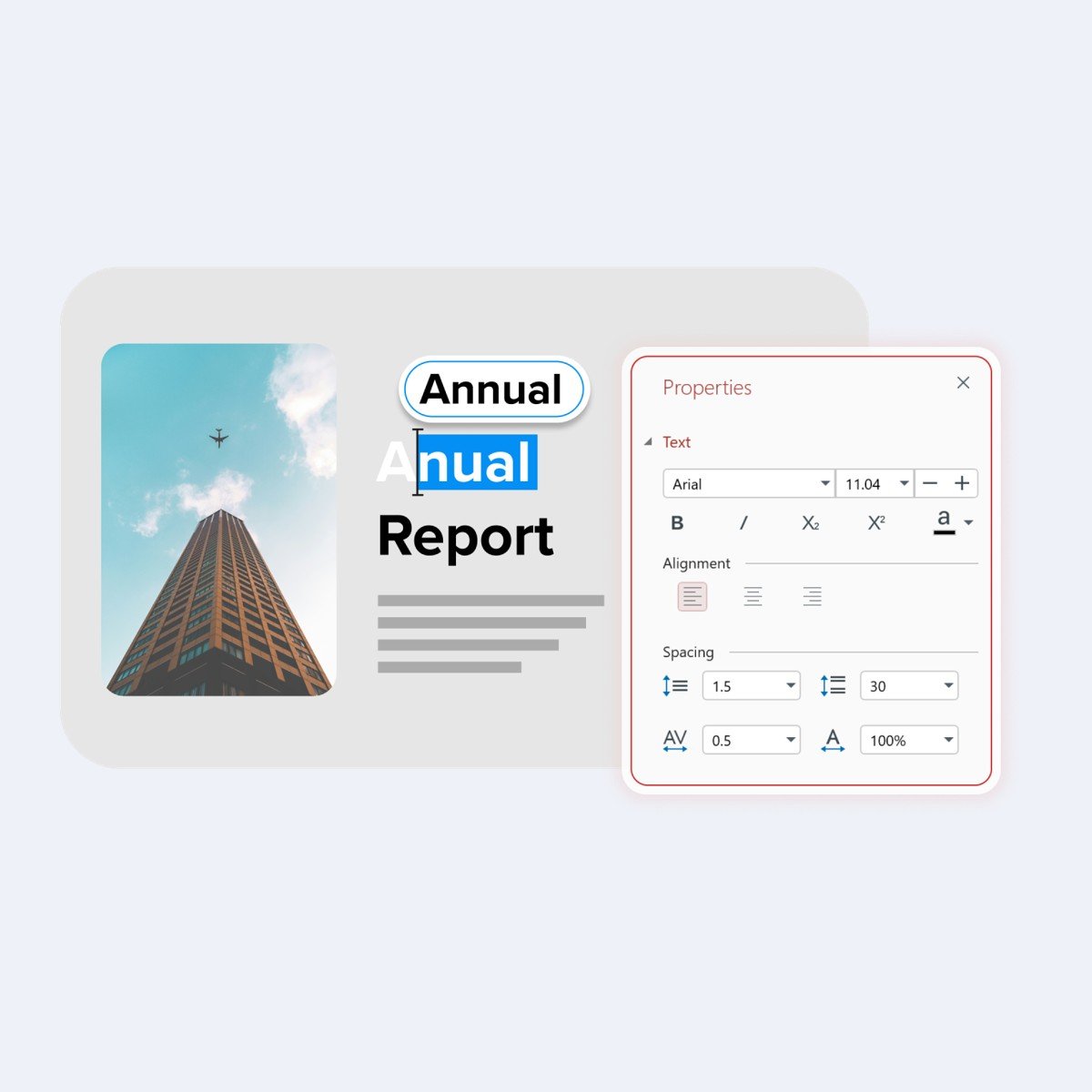
Edit text and images within existing PDF documents.
Convert PDFs to other formats and convert supported formats back to PDF, including Word and Excel.
Use OCR to turn scanned paperwork into searchable and editable PDF documents.
Create forms, complete existing forms and sign documents digitally.
Protect PDF files with passwords and apply digital signatures.
Compress PDF files when you need to manage document size.
These tools can be useful when preparing a client proposal, updating a document received by email, organising a collection of scanned records or completing forms without printing them first.
Choose your subscription period
TresBizz offers MobiPDF Pro with two subscription options: one month or twelve months. The monthly option can suit a short project or a temporary document workload. The twelve-month option is intended for customers who regularly edit, convert and organise PDFs throughout the year. Both options provide the Pro functionality covered by the subscription, with one Windows desktop and up to two supported mobile devices. MobiPDF Pro is the advanced PDF editor from MobiSystems and was previously known as PDF Extra.
Why buy from TresBizz in Malta
TresBizz is based in Brussels, Belgium, and supplies software licences to customers in Malta through its online shop. Product prices are displayed in euros, making the transaction straightforward for Maltese buyers. You can pay using a bank card, Apple Pay, Google Pay or PayPal. Every order includes an official VAT invoice. EU business customers can enter their VAT number during the purchase process, with reverse charge applied where applicable. If you need several licences for a business or team, volume pricing provides a lower price per licence when ordering three, five or ten units. Customer assistance is available by email. If an activation key does not work, TresBizz provides a replacement or refund.
Check the system requirements
Before ordering, check that your computer and mobile devices meet the requirements. The Windows desktop version supports Windows 11 and Windows 10, with version 22H2 recommended for Windows 10. Your computer must use an x64 system, have a minimum 1 GHz dual-core processor and at least 1 GB RAM. A minimum of 2 GB RAM is recommended for a more comfortable experience. For Apple mobile devices, iOS 18 or later is required. Android devices need Android 8.0 or later. An internet connection is required to activate the subscription and sign in using a MobiSystems account.
Email delivery and activation
Your purchase is a new and genuine software licence. There is no physical box, postal delivery or shipping requirement. Within 24 hours of placing your order, TresBizz sends the licence key, software download link and activation instructions to your email address. Download and install MobiPDF Pro on your compatible Windows computer, then follow the supplied instructions and sign in with your MobiSystems account to activate your subscription. You can then use the included features on the devices covered by your licence. Keep the order email available for reference. If you have a question about installation, activation or your purchase, contact the TresBizz support team by email.
MobiPDF Pro Questions and Answers
Where can I buy MobiPDF Pro in Malta?
You can order MobiPDF Pro through the TresBizz online shop. The product price is displayed in euros, and the licence details are delivered by email.
Does MobiPDF Pro work on Windows 11?
Yes. MobiPDF Pro supports Windows 11 and Windows 10 on x64 systems. For Windows 10, version 22H2 is recommended.
Can I use MobiPDF Pro on my laptop and smartphone?
Yes. One subscription covers one Windows desktop computer and up to two mobile devices, including iPhone, iPad and Android devices.
Can MobiPDF Pro convert PDF files into Word and Excel?
Yes. The application supports conversion from PDF to other formats and from other formats to PDF, including Word and Excel.
How long does MobiPDF Pro licence delivery take?
TresBizz emails your licence key, download link and activation instructions within 24 hours of your order. No physical delivery is required.
Be the first to review “Buy MobiPDF Pro in Malta for Complete PDF Editing” Cancel reply
AUTHENTIC LICENSE
Secure devices with Genuine Licenses
FAST DELIVERY
Get license by email instantly
OFFICE HOURS SUPPORT
(+32) 2 393 50 50
SECURE PAYMENT
Your data is secure with us
BEST PRICING
Quality and Services within budget
GLOBAL DELIVERY
No Regional Restrictions
Partners
Manage Consent
To provide the best experiences, we use technologies like cookies to store and/or access device information. Consenting to these technologies will allow us to process data such as browsing behavior or unique IDs on this site. Not consenting or withdrawing consent, may adversely affect certain features and functions.
Functional
Always active
The technical storage or access is strictly necessary for the legitimate purpose of enabling the use of a specific service explicitly requested by the subscriber or user, or for the sole purpose of carrying out the transmission of a communication over an electronic communications network.
Preferences
The technical storage or access is necessary for the legitimate purpose of storing preferences that are not requested by the subscriber or user.
Statistics
The technical storage or access that is used exclusively for statistical purposes.The technical storage or access that is used exclusively for anonymous statistical purposes. Without a subpoena, voluntary compliance on the part of your Internet Service Provider, or additional records from a third party, information stored or retrieved for this purpose alone cannot usually be used to identify you.
Marketing
The technical storage or access is required to create user profiles to send advertising, or to track the user on a website or across several websites for similar marketing purposes.








 ABBYY FineReader PDF 16 CorporateGenuine licenceDigital delivery by emailOfficial VAT invoiceFrom €102.50 excl. VAT€124.03 incl. 21% VATView product
 ABBYY FineReader PDF 16 StandardGenuine licenceDigital delivery by emailOfficial VAT invoiceFrom €64.55 excl. VAT€78.11 incl. 21% VATView product
 ABBYY FineReader PDF for MacGenuine licenceDigital delivery by emailOfficial VAT invoiceFrom €57.50 excl. VAT€69.58 incl. 21% VATView product
 ABBYY Screenshot ReaderGenuine licenceDigital delivery by emailOfficial VAT invoiceFrom €8.35 excl. VAT€10.10 incl. 21% VATView product
 Ashampoo PDF Pro 5Genuine licenceDigital delivery by emailOfficial VAT invoiceFrom €20.00 excl. VAT€24.20 incl. 21% VATView product
 Corel PDF FusionGenuine licenceDigital delivery by emailOfficial VAT invoiceFrom €9.73 excl. VAT€11.77 incl. 21% VATView product
 EaseUS PDF EditorGenuine licenceDigital delivery by emailOfficial VAT invoiceFrom €30.82 excl. VAT€37.29 incl. 21% VATView product




Reviews
There are no reviews yet.