




Description
Microsoft 365 Business Standard
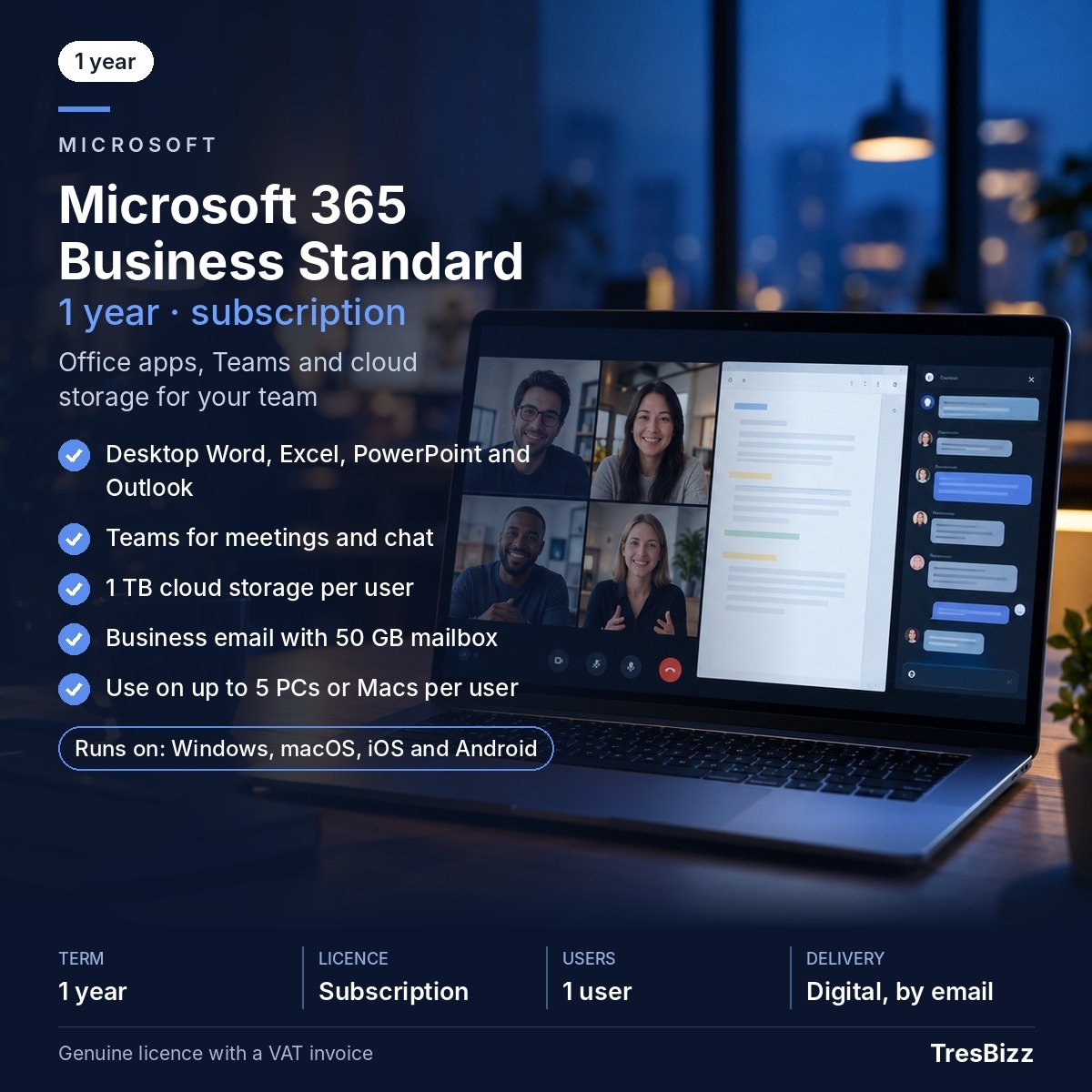
Bring your company’s essential productivity tools together with Microsoft 365 Business Standard. This commercial subscription combines desktop Office software, business email, online meetings, shared workspaces and cloud-based file management. Employees can prepare reports, handle correspondence, organise schedules and coordinate projects using familiar Microsoft applications. Whether your organisation has a small workforce or a larger team, the service provides a connected working environment for up to 300 users. Each employee receives an individual licence, allowing access to the included applications across different types of devices.
Key features
- Office software: Use Word, Excel, PowerPoint, Outlook and OneNote on Windows computers and Macs. Browser-based and mobile editions are also available.
- Business communication: Exchange Online supplies every licensed employee with a 50 GB email mailbox, calendar facilities and support for a company-owned domain.
- Online file storage: OneDrive provides 1 TB of personal cloud capacity per user for keeping documents, retrieving files and sharing business content.
- Shared workspaces: SharePoint makes document distribution and team sites possible, helping colleagues work with common information.
- Meetings and messaging: Microsoft Teams brings together online meetings, chat and calling for everyday business communication.
- Extra productivity tools: Microsoft Bookings, Forms, Planner, Loop and Clipchamp extend the available tools for organising and managing work.
- Current software: Desktop Office applications receive ongoing updates during the active subscription period.
Benefits
- One working environment: Combine document creation, spreadsheets, presentations, email and team communication within one Microsoft subscription.
- Flexible access: Work with supported applications on computers, tablets and smartphones, whether based in the office or working remotely.
- Better file coordination: Use OneDrive and SharePoint to store, distribute and access business documents across your organisation.
- Predictable licensing: Assign a separate user licence to every employee who requires access and increase the licence quantity as your team grows.
Who it is for
Microsoft 365 Business Standard suits small and medium-sized organisations, independent professionals and growing companies that need professional email alongside desktop Office applications. It is also suitable for teams coordinating projects across different locations. Organisations can license up to 300 users, making this subscription an option for businesses seeking integrated communication, document management and collaboration facilities without purchasing separate applications for each requirement.
Licence options
This is a subscription-based commercial licence, not a one-time software purchase. Every employee requires an individual user licence. Choose the quantity according to the number of people who need access. Each licensed user can install the applications on up to five PCs or Macs, five tablets and five phones. The subscription supports a maximum of 300 users; the exact subscription term should be checked against the selected offer. TresBizz is based in Brussels and provides an official VAT invoice with every order. EU business customers can enter their VAT number, with reverse charge applied where applicable. Pay by card, Apple Pay, Google Pay or PayPal. Reduced per-licence prices are available for orders of 3, 5 and 10 licences.
System requirements
- Windows PC or macOS computer for desktop applications.
- iOS or Android device for mobile applications.
- Internet connection for initial activation and cloud-based services.
- Internet access for Exchange Online, OneDrive, SharePoint and Teams.
- Supported applications can operate offline, with changes synchronised when connectivity returns.
Delivery and activation
After your order is processed, TresBizz sends the licence key, software download link and installation guide to your email address within 24 hours. Follow the supplied instructions to install and activate the applications. Email support is available if you need assistance with the process. If a supplied key cannot be activated, TresBizz will provide a replacement or refund.
Conclusion
Microsoft 365 Business Standard combines essential Office applications, professional email, cloud storage and team communication in one commercial subscription. With flexible device installations and individual employee licensing, it offers businesses a practical way to organise their everyday digital work. Choose the required licence quantity and order through TresBizz.
Microsoft 365 Business Standard Questions and Answers
What applications are included with Microsoft 365 Business Standard?
The subscription includes Word, Excel, PowerPoint, Outlook and OneNote, together with Microsoft Teams, SharePoint, Bookings, Forms, Planner, Loop and Clipchamp.
How much OneDrive storage does each user receive?
Every licensed user receives 1 TB of OneDrive cloud storage for saving, accessing and sharing business files.
How many devices can one licence cover?
One licensed employee can install the applications on up to five PCs or Macs, five tablets and five phones.
Can Microsoft 365 Business Standard be used offline?
Supported applications can work without an internet connection. Changes are synchronised when connectivity becomes available again. Initial activation and cloud services require internet access.
Is Microsoft 365 Business Standard a permanent licence?
No. It is a commercial subscription rather than a one-time software purchase. Each employee who needs access must have an individual user licence.






Reviews
There are no reviews yet.