






Discover The Perfect Softwares

SQL Server Std 2019

SQL Server 2019 Standard

749.00 excl. VAT
Add to Cart

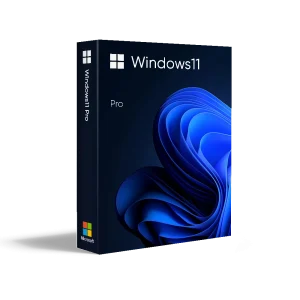
Windows 11 Pro

79.00 excl. VAT
Add to Cart
Windows 11 home

WINDOWS 11 HOME

49.00 excl. VAT
Add to Cart
Visio Standard 2016

MS Visio Standard 2016

190.00 excl. VAT
Add to Cart
Windows 8.1 pro

Windows 8.1 Professional

63.00 excl. VAT
Add to Cart
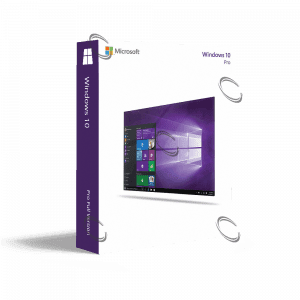
Windows 10 pro

Windows 10 Professional

88.00 excl. VAT
Add to Cart
Microsoft Visio Pro 2016

MS Visio Standard 2019

231.00 excl. VAT
Add to Cart
SQL Server 2016

SQL Server 2016 Standard

612.00 excl. VAT
Add to Cart

Windows 10 Home

48.00 excl. VAT
Add to Cart

BUHL tax 2026

21.85 excl. VAT
Add to Cart
Buy Corel Vector

Buy COREL VECTOR – Multi-Art Board

Original price was: €60.00.Current price is: €54.00. excl. VAT
Add to Cart
buy coreldraw technical suite

Buy CorelDRAW TECHNICAL SUITE – Technical Suite

Original price was: €449.00.Current price is: €404.00. excl. VAT
Add to Cart
CoralDRAW Graphics Suite 2023

Buy CORELDRAW GRAPHICS SUITE 2023 at Best Prices

Original price was: €375.00.Current price is: €338.00. excl. VAT
Add to Cart
CorelDRAW standard 2021

CorelDRAW Standard 2021

Original price was: €390.00.Current price is: €351.00. excl. VAT
Add to Cart
CorelDRAW Essentials 2021

Buy CorelDRAW ESSENTIALS 2021 – Photo Editing

Original price was: €135.00.Current price is: €122.00. excl. VAT
Add to Cart
Buy CorelCAD 2023

CorelCAD 2023

Original price was: €690.00.Current price is: €621.00. excl. VAT
Add to Cart
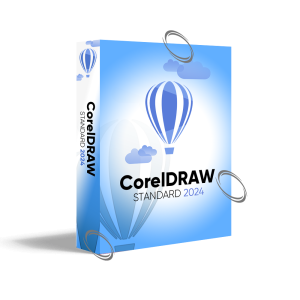
buy coreldraw standard 2024

CorelDRAW Standard 2024

360.00 excl. VAT
Add to Cart
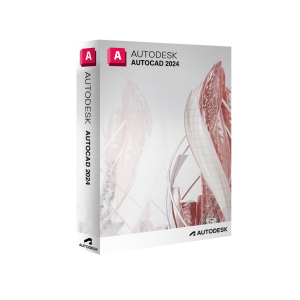
Buy autocad 2024

AutoCAD 2024

1,380.00 excl. VAT
Add to Cart

Maya

1,296.00 excl. VAT
Add to Cart

Arnold

259.00 excl. VAT
Add to Cart

Mudbox

71.00 excl. VAT
Add to Cart

ShotGrid

259.00 excl. VAT
Add to Cart
AutoCAD LT 2022

AutoCAD LT

575.00 excl. VAT
Add to Cart

Civil 3D

1,898.00 excl. VAT
Add to Cart

Construction Cloud

0.00 excl. VAT
Add to Cart

BIM 360

503.00 excl. VAT
Add to Cart

Vault

146.00 excl. VAT
Add to Cart

Vault Professional

601.00 excl. VAT
Add to Cart

Maya

1,296.00 excl. VAT
Add to Cart

Arnold

259.00 excl. VAT
Add to Cart

Mudbox

71.00 excl. VAT
Add to Cart

ShotGrid

259.00 excl. VAT
Add to Cart

Adobe Acrobat Pro 2020 Windows OEM

369.75 excl. VAT

93%
Recommended by buyers
Add To Wishlist

Lifetime License

Create, edit, export, and scan PDFs

Convert Microsoft Word documents to PDF

Convert Microsoft PPT presentations to PDF

Convert Microsoft Excel spreadsheets to PDF

Convert JPG to PDF

 Convert web pages to PDF

Compress PDF for the smaller size

Adobe Acrobat Pro 2020 Windows OEM

369.75 excl. VAT

93%
Recommended by buyers
Add To Wishlist

Lifetime License

Create, edit, export, and scan PDFs

Convert Microsoft Word documents to PDF

Convert Microsoft PPT presentations to PDF

Convert Microsoft Excel spreadsheets to PDF

Convert JPG to PDF

 Convert web pages to PDF

Compress PDF for the smaller size

Description

Adobe Acrobat Pro 2020

Are you tired of the limitations of subscription software? Are you yearning for a permanent PDF solution that empowers you to manage, edit, and collaborate with complete control?  Look no further than Adobe Acrobat Pro 2020, the latest perpetual license version of the industry-leading PDF software. Whether you’re a busy professional, a creative team, or a forward-thinking organization, Acrobat Pro 2020 is the ultimate solution for all your PDF needs.

Features of Adobe Acrobat Pro 2020

1. Effortless Organization & Findability 

Say goodbye to scattered PDFs. The centralized home view keeps all your documents organized and easily accessible, saving you valuable time and frustration in Adobe Acrobat Pro 2020.

2. Unparalleled Security & Collaboration

Work confidently with sensitive documents. Adobe Acrobat Pro 2020 seamlessly supports MIP-protected files, ensuring secure collaboration across teams and organizations.

3. Transform Your Forms

Enjoy the power of digital forms with Adobe Acrobat Pro 2020. Customize colors, utilize advanced OCR technology to convert scanned documents, and fill out forms flexibly.

4. Flawless Document Creation

Guarantee error-free PDFs every time with Adobe Acrobat Pro 2020.  Streamlined preflight libraries and built-in PDF/UA validation tools ensure your documents meet the highest accessibility standards.

5. Enhanced Accessibility for Everyone

Empower a diverse workforce.  Improved DirectInk support and advanced accessibility features make Adobe Acrobat Pro 2020 a truly inclusive PDF solution.

What’s New in Adobe Acrobat 2020

  • The new Home view helps you stay organized and productive. It’s a single place for you to organize, manage, and search for all your PDFs.
  • Displays your recent files opened for viewing from your computer, Document Cloud storage, or third-party storage like OneDrive, Dropbox, Box, and SharePoint.
  • Recommended tools: Helps you discover top Acrobat tools like Edit PDF, Create PDF, Combine PDFs, and more.
  • This lets you search all your Document Cloud files and the files sent or received for viewing, reviewing, or signing.
  • It helps you take actions on files across all Home views with context-sensitive menus, check the status of participants, and view the history of activities for shared documents.
  • Recent files B. Recommended tools C. Search files D. Context pane

MIP-protected PDFs in Acrobat 2020 and Reader 2020

Now you can use Adobe Acrobat 2020 and Acrobat Reader 2020 Windows and Mac desktop applications to open files protected with MIP solutions, including Azure Information Protection (AIP) and Information Protection using Office 365. Acrobat 2020 and Acrobat Reader 2020 auto-detect a MIP-protected file and prompt you to download the corresponding plug-in from the plug-in download page. Once you download and install the plug-in, the protected files open like any other PDF in Acrobat or Reader

Color Customization Capability in the Fill & Sign Tool 

You can now choose your desired color to fill out the PDF form and sign it using the Fill and Sign tool in Acrobat 2020. To change the color, click the Color button in the Fill & Sign toolbar. By default, the signature’s color is black. To retain the default color, deselect the Retain Original Color For Signatures checkbox. For more information, see Fill out your PDF form.

Run OCR on Scanned Documents with Live Text

With Acrobat 2020, you can run OCR on a scanned PDF that contains images with live text on them.

  • Open the scanned PDF in Acrobat 2020.
  • Go to Tools > Enhance Scan > Recognizable Text > In This File.
  • Click Settings in the toolbar. The Recognize Text dialog box is displayed.
  • In the Output drop-down list, choose Searchable Image or Searchable Image (exact) and click OK.
  • Click Recognize Text in the toolbar.

Improved Accessibility Feature Updates and Workflows

Improved Accessibility features in Acrobat 2020 make it easier for people with disabilities to use PDF documents and forms, with and without the aid of assistive technology software and devices.

Improved Experience with DirectInk

Improved Pen tool leveraging DirectInk technology allows you to write and draw more smoothly and accurately directly on the document without selecting a tool.

Sign PDF Files with DirectInk

New support for DirectInk in the Signatures Panel of the Certificates app offers a more natural experience and gives you more control of how your signature looks when signing on Windows 10 devices.

System Requirements

  • 1.5GHz or faster processor
  • Windows Server 2012 (64-bit), 2012 R2 (64-bit)†, 2016 (64-bit), or 2019 (64-bit); Windows 8, 8.1 (32-bit and 64-bit)†, or Windows 10 (32-bit and 64-bit)
  • 2GB of RAM
  • 4.5GB of available hard disk space
  • 1024×768 screen resolution
  • Internet Explorer 11; Firefox (ESR); or Chrome
  • Video hardware acceleration (optional)

MAC OS

  • macOS v10.13, macOS v10.14, or macOS v10.15‡
  • Safari 10.0 or 11.0 (browser plug-in for Safari supported on 64-bit Intel processor only)
  • 2GB of RAM
  • 2.75GB of available hard disk space
  • 1024×768 screen resolution

This software will not operate without activation. Internet connection and registration are required for software activation, validation of subscriptions, and access to online services. Phone activation is not available.

Upgrade your document management today! Explore system requirements and also discover other Acrobat versions available. 

Acrobat Pro DC for teams

Adobe Acrobat Pro DC 2017


Reviews

There are no reviews yet.

Be the first to review “Adobe Acrobat Pro 2020 Windows OEM”

Your email address will not be published. Required fields are marked *

AUTHENTIC LICENSE

Secure devices with Genuine Licenses

Vector
FAST DELIVERY

Get license by email instantly

Group
OFFICE HOURS SUPPORT

(+971 ) 4 266 6865

credit-card 1
SECURE PAYMENT

Your data is secure with us

shopping-bag
BEST PRICING

Quality and Services within budget

package
GLOBAL DELIVERY

No Regional Restrictions

Similar Items You Might Also Like

Partners